
Download MySpeed PC Lite – Internet Speed Test, Download Speed, Upload Speed, Connection Quality, Network Performance
Overview
MySpeed PC Lite is a lightweight, no-frills utility designed to test and evaluate the performance of your Internet connection. Its primary purpose is to provide users with accurate, real-time data on both download and upload speeds, enabling them to verify whether their actual connection aligns with the service levels promised by their Internet Service Provider (ISP). This tool is especially useful for individuals who rely on stable, high-speed connections for work, streaming, online gaming, or remote communication. By offering a clear, visual breakdown of network performance, MySpeed PC Lite helps users identify potential discrepancies between expected and actual speeds.
The application targets a broad audience, including home users, remote professionals, and small business operators who need to monitor their connectivity without relying on third-party websites. It is particularly valuable in troubleshooting intermittent slowdowns or network congestion. Although the developer did not provide additional technical details about the underlying testing methodology, the tool has been available since 2007, indicating a long-standing presence in the productivity software space. Its continued relevance underscores its reliability and simplicity in a market often flooded with feature-heavy alternatives.
MySpeed PC Lite plays a meaningful role in the broader ecosystem of network diagnostics by offering a standalone, secure, and fast solution. Unlike browser-based tools, it operates independently, reducing the risk of interference from browser extensions or cached data. Its minimal file size and low system footprint make it suitable for older or resource-constrained systems. For users seeking a straightforward way to assess their Internet performance, this app delivers clear value with minimal overhead.
Key Features & Functionality
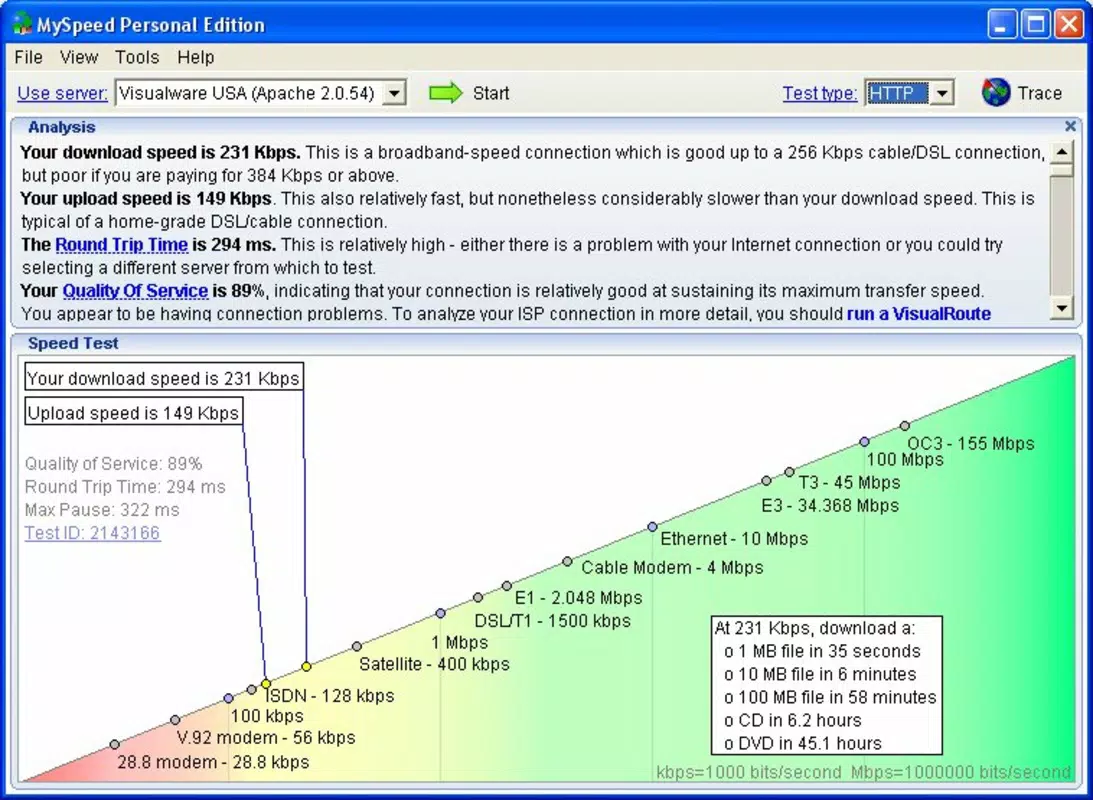
- Speed Testing: MySpeed PC Lite performs accurate measurements of both download and upload speeds, delivering results in real time. This allows users to quickly verify their connection performance and compare it against ISP-provided benchmarks.
- Connection Quality Rating: The tool assigns a quality rating to the current network connection, helping users understand if their speeds are optimal, acceptable, or below standard for their plan.
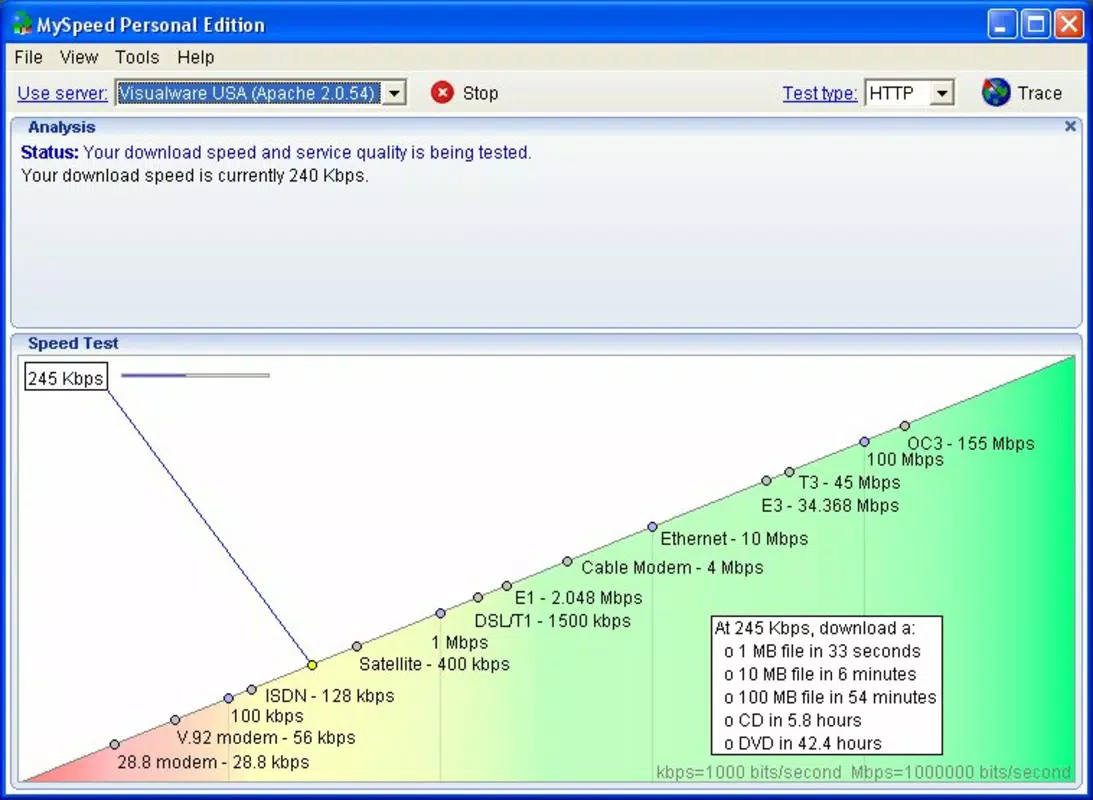
- User-Friendly Graphs: Results are displayed through intuitive graphical representations that visualize speed fluctuations over time. This visual feedback enables users to detect patterns such as peak-hour slowdowns or sudden drops.
- Quick Analysis: The test completes in seconds, making it ideal for on-the-go checks or frequent monitoring without significant delays.
- Reliable Performance Insights: By providing consistent and repeatable data, the app empowers users to make informed decisions about their Internet service, including discussions with providers or upgrades to better plans.
For example, a remote worker experiencing lag during video calls can run a test to determine if the issue stems from low upload speeds. Similarly, a household with multiple devices can use the tool to identify bandwidth saturation during peak usage times. The app’s ability to deliver consistent, comparable results across multiple sessions enhances its utility for long-term monitoring.
Interface, UX & Performance
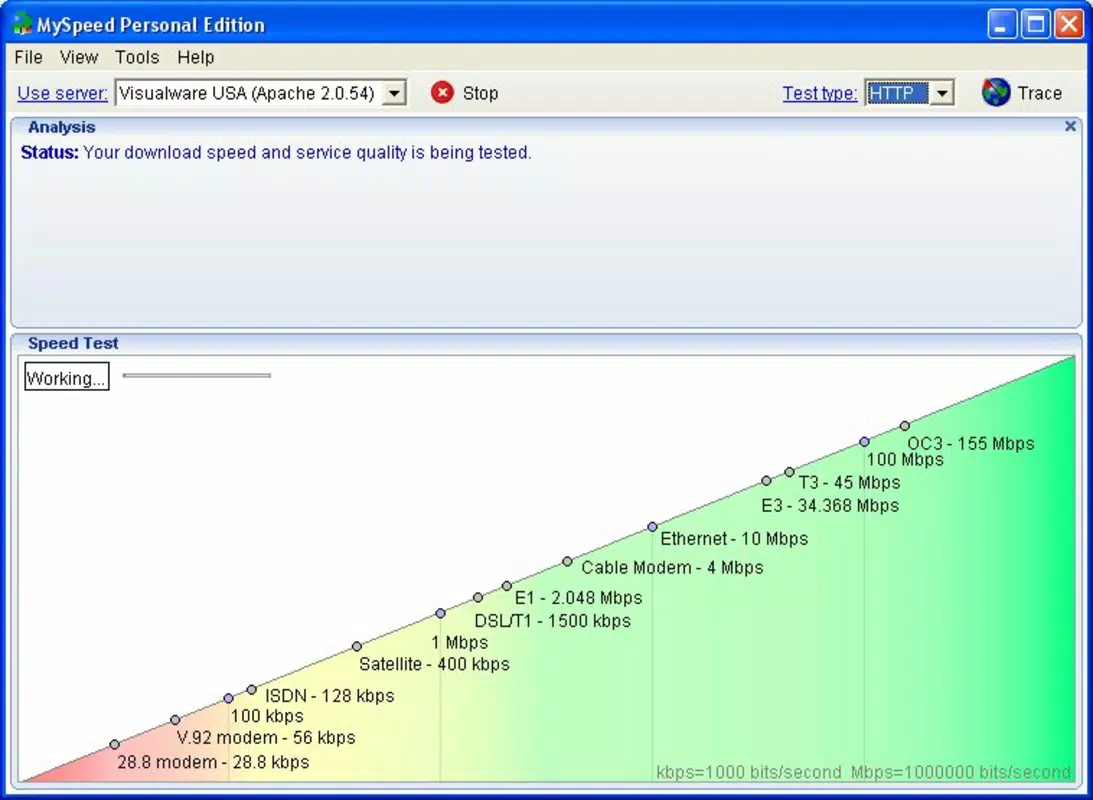
MySpeed PC Lite features a clean, minimalist interface that prioritizes functionality over visual flair. The layout is straightforward, with a central test button, real-time speed indicators, and a graph display that updates dynamically during the test. Navigation is intuitive, requiring minimal user input—typically just a single click to initiate a test. The design avoids clutter, ensuring that users can focus on the core data without distraction.
Although the developer did not list formal performance metrics, the app’s file size of 2.5 MB suggests a lightweight footprint, which contributes to fast launch times and minimal resource consumption. It is likely optimized for older Windows systems, making it accessible to users with legacy hardware. Responsiveness is strong during testing, with immediate feedback and smooth graph rendering. Stability appears reliable, as the app has maintained consistent availability since its release in 2007.
Performance on different device categories has not been formally documented. However, the app’s low size and simple architecture imply compatibility with a wide range of Windows-based systems, including those with limited processing power or memory. Users can expect consistent behavior across various configurations, though specific hardware requirements were not disclosed.
Platform Compatibility & Technical Requirements
MySpeed PC Lite is designed for the Windows platform and is compatible with Windows operating systems. The current version is 2.1.0, with a file size of 2.5 MB. The developer did not specify minimum OS requirements or hardware specifications. This lack of detail suggests that the app may support a broad range of Windows versions, including older ones such as Windows XP, Vista, and 7, given its long-standing presence.
Users should be aware that the app is not available on mobile platforms such as Android or iOS. It is strictly a desktop utility, intended for use on personal computers and laptops. The free price model makes it accessible to all users, regardless of budget. While no official update frequency has been announced, the app’s continued availability indicates ongoing support, though no formal release notes were provided.
Pros and Cons
- Lightweight and fast, with a minimal file size of 2.5 MB
- Free to download and use, with no in-app purchases or ads
- Simple, intuitive interface suitable for non-technical users
- Provides both download and upload speed measurements
- Offers a visual graph for easy interpretation of results
- Delivers quick test results in seconds
- Stable and reliable, with a long history of availability
- Not available on mobile platforms (Android, iOS)
- No detailed technical specifications or system requirements provided
- Limited customization options for test settings
- Outdated visual design compared to modern applications
- No cloud storage or historical data tracking across devices
- Does not support advanced diagnostics like ping or jitter testing
FAQ
Is MySpeed PC Lite safe to download and install?
Yes, the app is free and has been available since 2007 without reported security incidents. It does not contain ads or bundled software.
Can I use MySpeed PC Lite on Windows 10 or Windows 11?
While the developer did not specify compatibility, the app’s long history and small size suggest it is likely compatible with modern Windows versions.
Does MySpeed PC Lite require an internet connection to run?
Yes, the app requires an active internet connection to perform speed tests, as it measures real-time data transfer rates.
How often should I run a speed test with MySpeed PC Lite?
Users can run the test as frequently as needed. It is recommended to test during peak usage times to identify potential bottlenecks.
Is MySpeed PC Lite updated regularly?
The developer has not disclosed an update schedule. However, the app remains functional and available, indicating ongoing maintenance.
Final Thoughts
MySpeed PC Lite stands out as a reliable, no-nonsense tool for anyone needing to verify their Internet connection speed. Its straightforward design, quick performance, and free access make it an excellent choice for users who value simplicity and accuracy. While it lacks advanced features found in modern speed test apps, its core functionality remains effective and trustworthy. The app is particularly beneficial for individuals who want to troubleshoot connectivity issues, validate their ISP’s service, or monitor network stability over time.
For those using older systems or seeking a lightweight, secure alternative to browser-based tests, MySpeed PC Lite offers a dependable solution. It delivers essential insights without complexity, ensuring users can make informed decisions about their Internet experience. Its long-standing presence in the productivity category speaks to its enduring value.
Download MySpeed PC Lite now


